Train your AI chatbot on your Zendesk Help Center
Connect NexaGPT to Zendesk in 60 seconds. Your chatbot automatically learns from every Help Center article — no copy-paste, no manual updates — and answers visitor questions 24/7.
When your Zendesk articles update, NexaGPT re-crawls and refreshes the chatbot's knowledge automatically. Deflect up to 80% of inbound support tickets without hiring more agents.
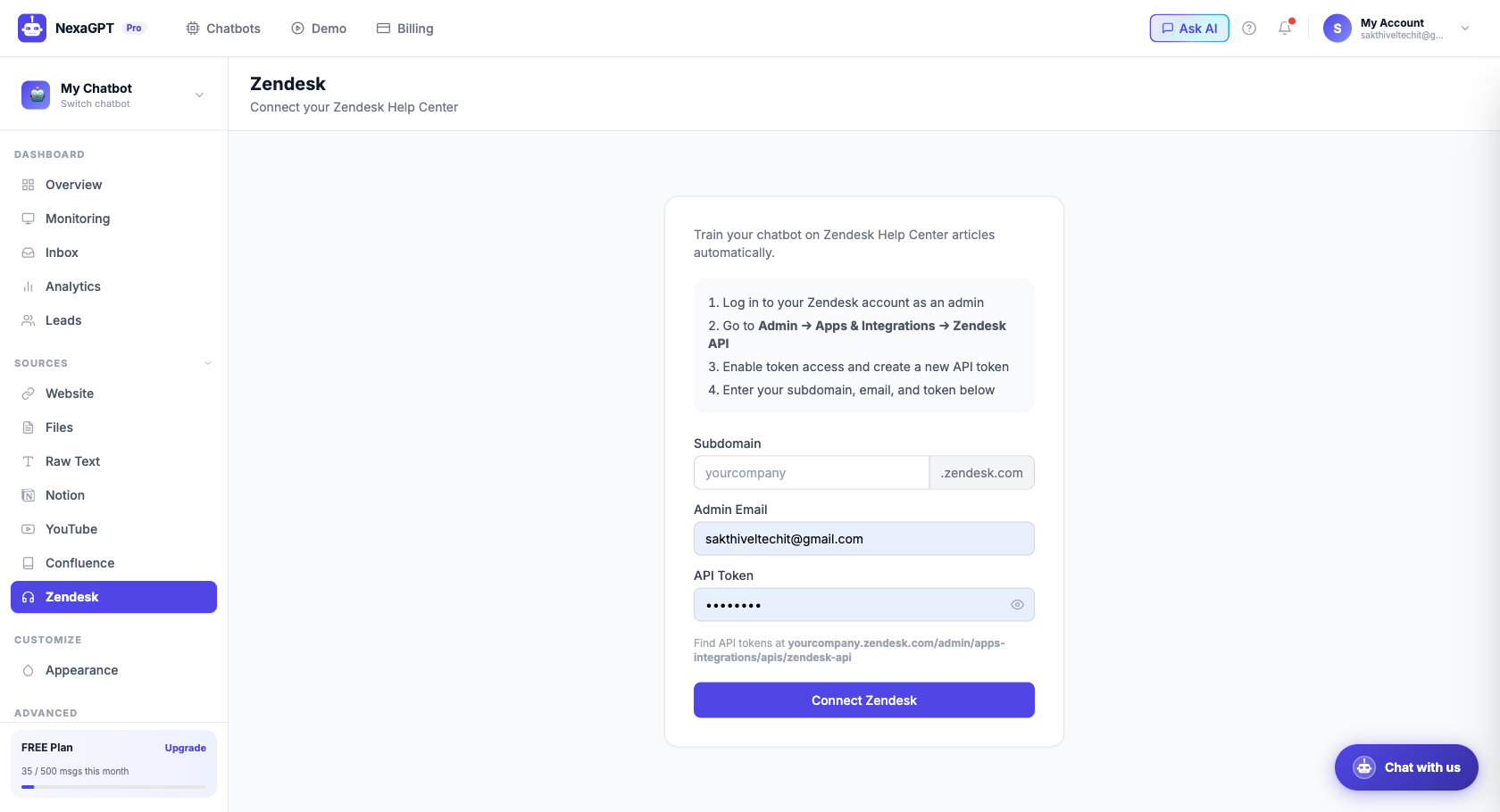
3 steps to connect Zendesk
Connect Zendesk
Enter your Zendesk subdomain and generate an API key from your Zendesk admin panel. Paste both into NexaGPT's Zendesk source settings.
Select categories
Choose which Help Center categories and sections to include. NexaGPT fetches all published articles in your selection.
Train & go live
Click Train. NexaGPT indexes all articles in minutes. Your chatbot immediately answers visitor questions from your Zendesk knowledge base.
Why connect Zendesk to your AI chatbot?
Deflect 80% of tickets
Most support questions are answered by existing Zendesk articles. Your chatbot answers them instantly — without a human.
Always up to date
Refresh on a schedule. When you publish a new article or update an existing one, the chatbot learns it automatically.
Multi-language support
If your Zendesk has articles in multiple languages, NexaGPT indexes them all and responds in the visitor's language.
FAQ: Train on Zendesk
How does NexaGPT connect to Zendesk?
Enter your Zendesk subdomain and API key in NexaGPT's Zendesk source panel. NexaGPT fetches all published Help Center articles and indexes them automatically — no manual copy-paste.
Does the chatbot update when I update Zendesk articles?
Yes. You can configure a refresh schedule (daily, weekly) so NexaGPT re-crawls your Zendesk Help Center and keeps the chatbot's knowledge current.
Which Zendesk plans are supported?
Any Zendesk plan with Help Center (Guide) enabled. This includes Suite Team, Suite Growth, Suite Professional, and Suite Enterprise.
Can I train on both Zendesk and my website?
Yes. NexaGPT supports multiple sources simultaneously — Zendesk, website, PDFs, Notion, YouTube, and Confluence can all be active at once for one chatbot.
Connect your Zendesk Help Center in 60 seconds
14-day free trial. Deflect support tickets automatically. No credit card.